

Introducing the Next Generation of S-Miles Designer
Version 2.0 marks a major milestone for S-Miles Designer.
Building on the complete solar and storage design workflow established in previous releases, V2.0 introduces AI-assisted design capabilities, enhanced design intelligence, and deeper integration with the Hoymiles ecosystem.
Our goal remains simple: help installers create professional solar projects faster, more accurately, and with less manual effort.
AI-Powered Intelligent Design
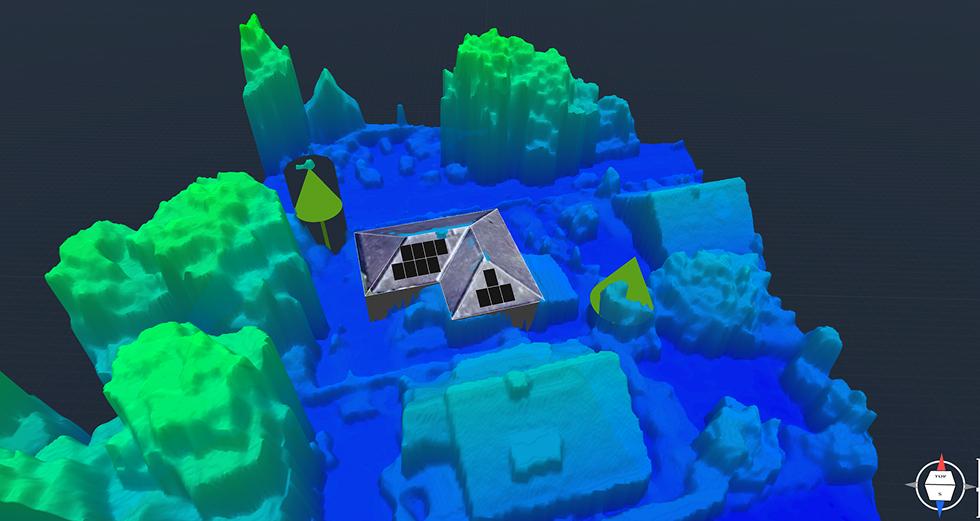
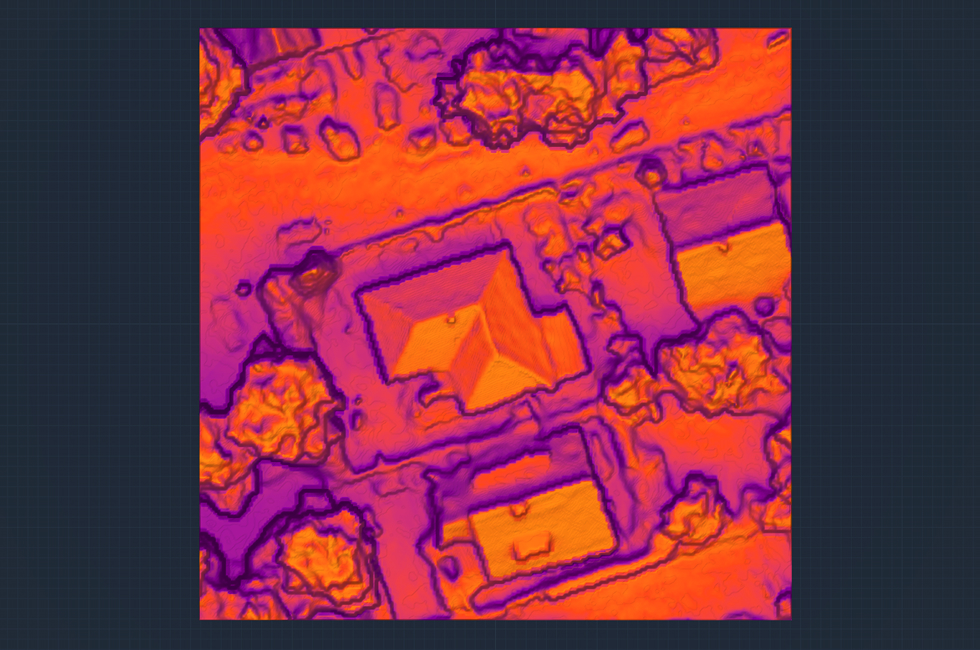
AI-Powered 3D Site Modeling & Intelligent Mapping
S-Miles Designer introduces a new generation of AI-powered site analysis and modeling technologies, helping installers quickly obtain accurate 3D site information and complete professional system designs with less manual effort.
Key capabilities include:
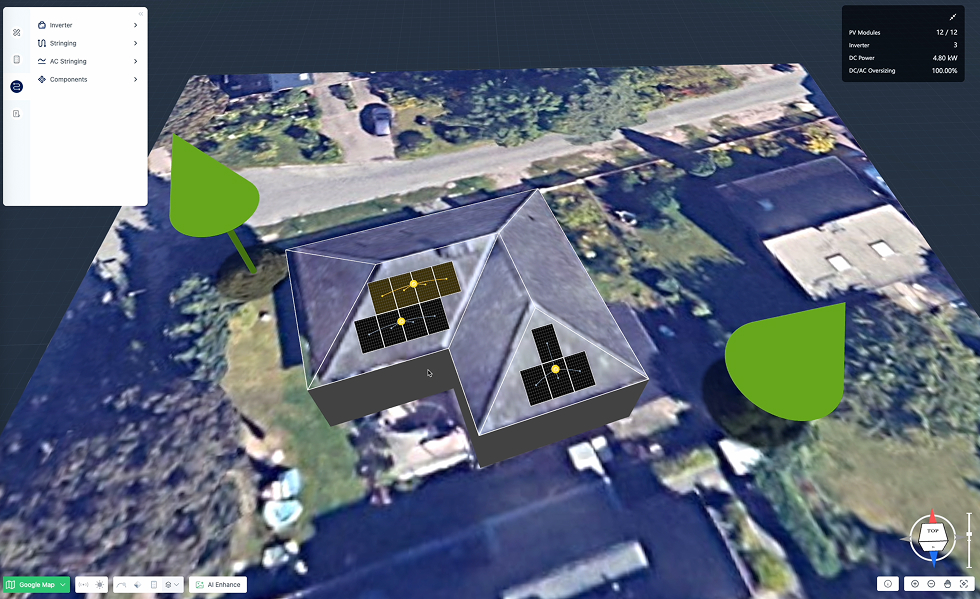
- Google Solar 3D Imagery & AI-Driven 3D Modeling Automatically generate realistic 3D rooftop models from Google Solar 3D imagery, eliminating the need for time-consuming manual roof modeling.
- Google 3D Terrain (LiDAR) Data Integration Access high-precision terrain and LiDAR point cloud data to improve site analysis and support more accurate system design.
- Intelligent Roof Modeling Tools Accelerate roof creation with multiple AI-assisted tools, including Automatic Roof Detection, Automatic Roof Ridge, Lift Ridge, and Flatten Roof.
- AI Satellite Image Enhancement Powered by advanced AI image enhancement technology, transform low-resolution or unclear satellite maps into clearer and more usable design backgrounds.
Note: Some features depend on the availability and coverage of Google 3D data. Actual functionality may vary depending on project location.
Smarter Design Workflow
S-Miles Designer further simplifies project creation with intelligent automation, reducing repetitive engineering tasks and helping installers complete optimized system designs more efficiently.
Key capabilities include:
- Smart Design with Multiple Optimization Modes Automatically generate optimal PV module layouts based on different design objectives, including Energy Mode, Modules Mode, and Max Fit Mode.
- Auto Inverter Matching & Automatic String Configuration Automatically select suitable inverters based on the system design and generate optimized string configurations, significantly reducing manual electrical design effort.
- Automatic Microinverter Accessories Configuration Automatically configure required microinverter accessories, including cables, connectors, and other necessary components.
- AI-Assisted Power Curve Analysis Generate power curves during the design stage and receive intelligent insights into system sizing, self-consumption ratio, and overall system performance.
Seamless Design-to-Deployment Workflow
Deep Integration with S-Miles Cloud
S-Miles Designer is fully integrated with the S-Miles Cloud ecosystem and is automatically available to existing S-Miles Cloud organization users, including distributors and installers.
Simply log in to the S-Miles Cloud Web portal to access S-Miles Designer directly from your homepage and start designing without additional registration or configuration.
One-Click Project Import & Power Plant Creation
Turn your design into reality with a seamless design-to-deployment workflow.
With just one click, projects created in S-Miles Designer can be imported into S-Miles Cloud to automatically create a complete power plant. System configurations, equipment information, and module layouts are transferred automatically, reducing repetitive setup and accelerating project delivery.
Direct account registration for S-Miles Designer will be supported in future releases. Please stay tuned for official announcements.
Advanced Solar Resource Analysis
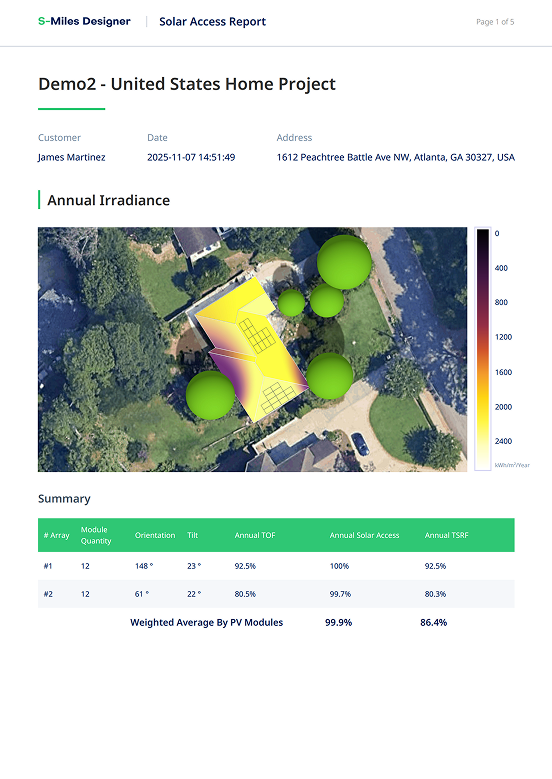
Solar Access Report
The new Solar Access Report provides deeper insights into solar resource availability and shading impacts.
Key capabilities include:
- Solar resource assessment
- Shadow loss analysis
- Improved module placement decisions
- More accurate project evaluations
This helps installers optimize system performance before installation begins.
Enhanced Electrical Design
Electrical Layout Improvements
Electrical Layout continues to evolve with more professional engineering outputs and improved design efficiency.
Highlights include:
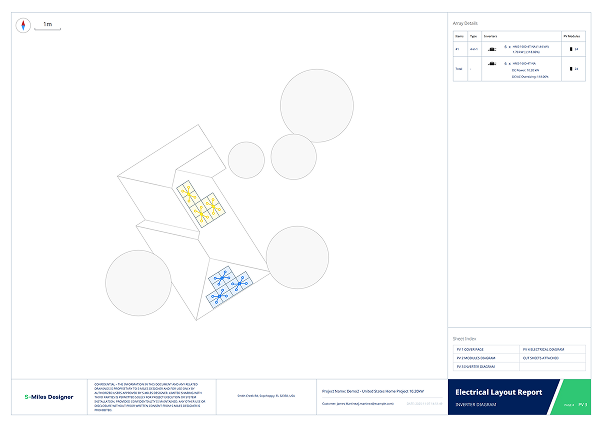
- Automatic generation of professional electrical layouts
- Optimized wiring and connection representation
- Faster engineering documentation preparation
- CAD-ready electrical drawings
These improvements help installers streamline engineering workflows and prepare projects for deployment more efficiently.
Why S-Miles Designer
S-Miles Designer combines intelligent design tools, professional engineering capabilities, and seamless integration with the Hoymiles ecosystem.
With AI-powered 3D site modeling, intelligent design automation, accurate simulation models, seamless S-Miles Cloud integration, and professional reporting workflows, installers can significantly reduce design time while delivering reliable and professional solar proposals with confidence.
Looking Ahead
Version 2.0 lays the foundation for the next generation of intelligent solar design.
We will continue investing in AI-powered workflows, advanced analysis capabilities, and tighter integration across the Hoymiles platform to help installers design, deploy, and manage solar projects more efficiently than ever before.