

Navigate to homepage within the S-Miles Designer platform, use the left-hand main navigation menu:
- Locate and click on the Settings option in the sidebar menu.
- Under the expanded menu dropdown, select General Settings to open the preference setting page.
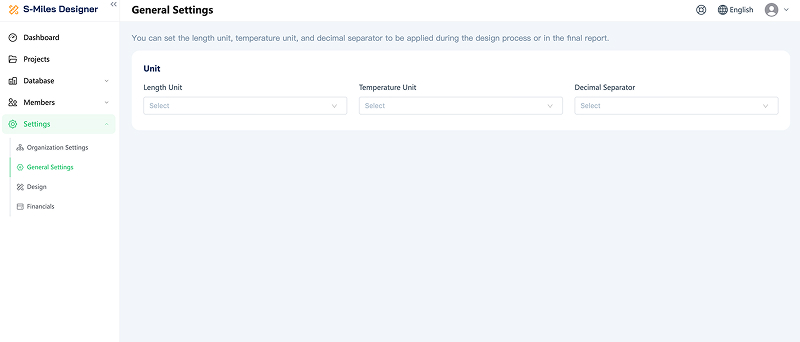
Overview of General Settings
The General Settings page allows users to configure foundational display preferences that apply globally throughout the entire project design process and are reflected in the final generated reports.
Its primary purpose is to ensure that measurements and data formatting align with your regional standards or specific client requirements.
Key Configurations Available:
- Length Unit: Allows you to select your preferred measurement system for physical dimensions.
- Temperature Unit: Allows you to set the temperature standard used for environmental or equipment data.
- Decimal Separator: Allows you to customize how numerical decimals are displayed (such as using a comma , or a period .), which is particularly useful for adhering to regional formatting norms in financial and technical reports.
Summary: This setting ensures consistency across your workflow, making sure that what you see while designing matches perfectly with the formatting expected in your final output deliverables.