

After AC stringing is completed, you can generate and manage the accessory list required for your microinverter system. The system automatically calculates cable and accessory quantities based on the inverter configuration and string layout, while also allowing manual adjustments.
Access the Accessory Tool
This feature is available for microinverter systems only.
Go to the Stringing step and select Microinverter Accessories from the Components tool group.
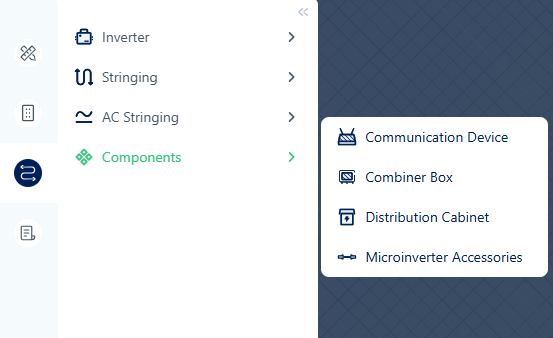
The accessory list is cleared automatically if the number of microinverters or the AC cable specification changes.
Configure Accessories
The workflow includes selecting cables, reviewing the generated list, and making adjustments if needed.
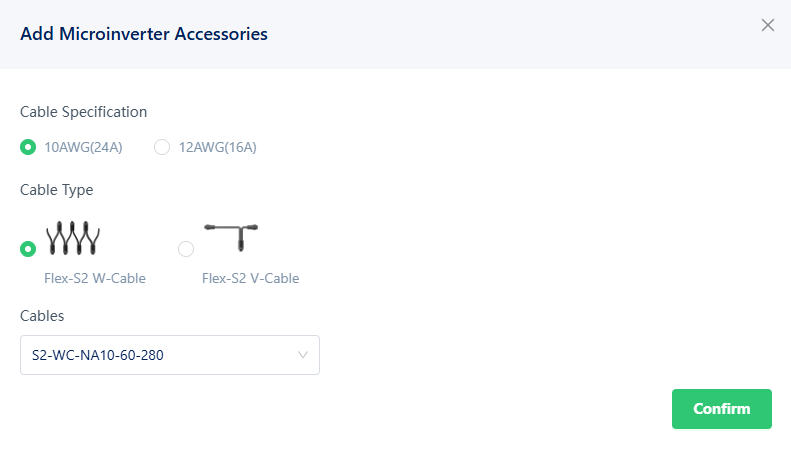
Step 1 – Select Cable Options
Choose the required cable settings.
Depending on the inverter model, available options may include:
- Cable specification
- Connection cable type
- Connection cable model
Step 2 – Review the Generated List
After confirmation, the system calculates the required accessories and displays the results.
Each item includes:
- Product image
- Description
- Model
- Quantity
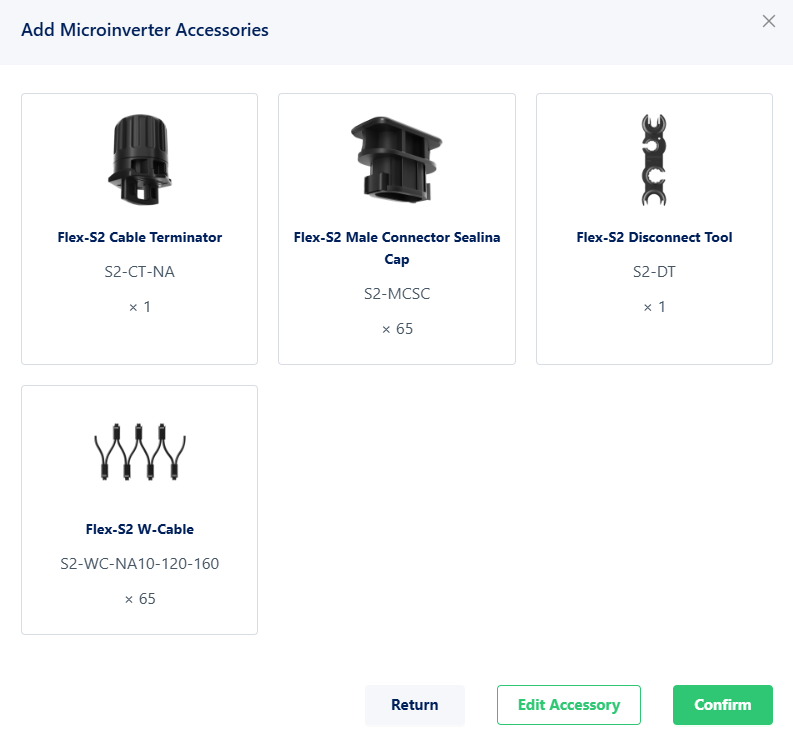
You can:
- Return to the previous step
- Modify the accessory list
- Confirm and save the results
Step 3 – Edit the Accessory List
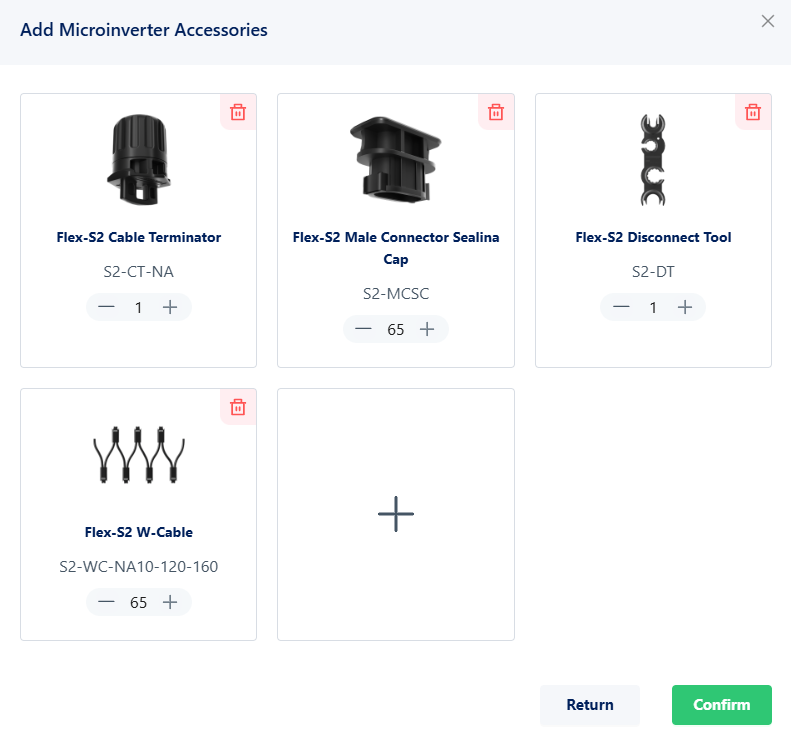
The generated list can be adjusted manually.
You can:
- Modify quantities
- Remove items
- Add additional accessories
Step 4 – View Existing Accessories
If an accessory list already exists, opening the dialog displays the current list directly. You can review, modify, or delete the configuration as needed.
Automatic Calculation
When the accessory list is generated, the system automatically calculates:
- Connection cables
- Terminators
- Circuit breakers
- Other required accessories
The calculation is based on factors such as:
- Inverter quantity
- AC string layout
- Cable type
- Bus type
- Project region and cable standard
Notes
- If all accessories are removed, the system displays a warning indicating that the accessory count may be incomplete.
- If no accessories can be matched, an empty result is displayed.
- Changes to the microinverter quantity or AC cable specification require the accessory list to be generated again.