

Sun Path Simulation
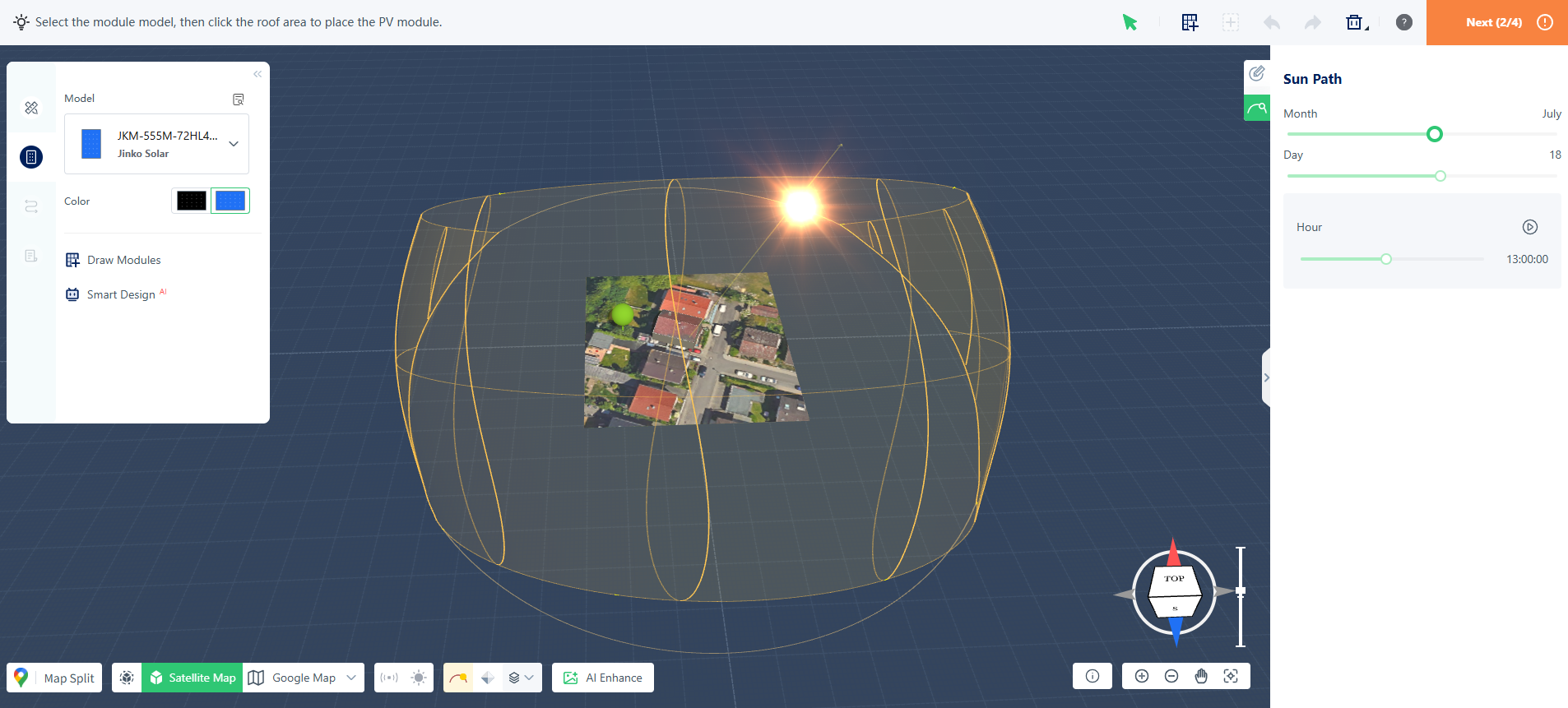
In solar system design, the sun's position directly affects module placement, shading analysis, and energy production estimates. The Sun Path Simulation feature in S-Miles Designer helps visualize solar movement throughout the day and across different seasons, allowing you to better understand site-specific solar conditions during the design process.
Why Use Sun Path Simulation?
Sun Path Simulation provides a visual representation of sunlight conditions at your project location. It can help you:
- Evaluate solar exposure throughout the year
- Identify potential shading from nearby buildings, trees, or other obstacles
- Optimize module placement and orientation
- Support more accurate energy production estimates
Understanding how sunlight interacts with your site can help improve layout decisions and reduce the impact of shading.
How It Works
The simulation is based on the project's geographic location, including latitude and longitude. Using solar position calculations, S-Miles Designer determines the sun's path for any selected date and time.
The simulation takes into account:
- Sunrise and sunset times
- Solar elevation angle
- Solar azimuth angle
- Seasonal variations throughout the year
This allows you to visualize how sunlight and shadows change across different times of day and seasons.
Using Sun Path Simulation
Open the Sun Path panel in the 3D design workspace to adjust simulation parameters.
Select a Month
Use the month slider to view how the sun's path changes throughout the year and compare seasonal solar conditions.
Select a Date
Choose a specific date to display the sun's trajectory and shading conditions for that day.
Adjust the Time
Move the time slider or click the play button to animate the sun's movement from sunrise to sunset.
During playback, the system updates in real time:
- Sun position
- Sunlight direction
- Shadow projections
Applications
Sun Path Simulation can be used for:
- Rooftop solar assessment
- Shading analysis
- PV module layout optimization
- Module orientation evaluation
- Energy yield validation
By combining real geographic data with dynamic solar calculations, Sun Path Simulation helps provide a clearer understanding of solar conditions throughout the year and supports more informed design decisions.